Toilet ultra boss rush Discord Sneaks & Giveaways
Follow the developer community safely — verify drops before you redeem or click.
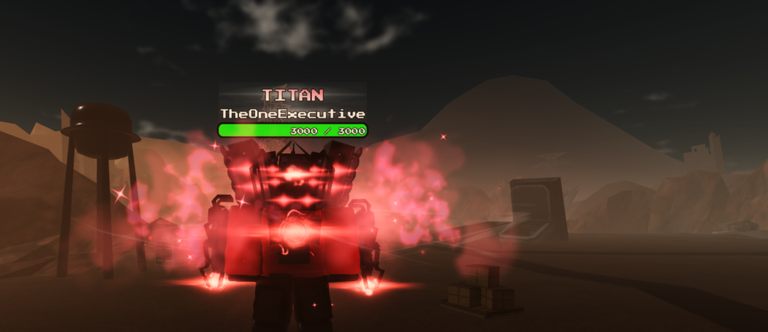
The official Roblox description for Toilet ultra boss rush [ROBERT + 1.5x] tells players to join the community server for sneaks, giveaways and more. That single sentence is why this page exists: most real free-value moments for this place arrive through Discord announcements long before a random blog copies an expired string. This guide explains how to use those channels without falling for impersonators, fake login pages, or codes meant for Ultra Toilet Fight 2.
This wiki still refuses to invent working promo codes. When a string is verified in-game, it graduates to the Codes Hub with reward notes. Until then, treat Discord as a signal pipeline, not a guarantee that every message contains a redeemable code tonight.
What “sneaks” usually means here
In TheOneExecutive Studios communities, sneaks are early looks at content before it hits the public Roblox page — new units, UI tweaks, multiplier experiments, or admin-abuse teases. Sneaks are valuable for planning, but they are not always immediately playable. Common patterns:
- Screenshot or clip drops showing a shop item or character silhouette.
- Hint posts tied to an upcoming reupload or title-tag change (such as the ROBERT + 1.5x era).
- Polls or Q&A that reveal economy direction without publishing a code box string.
When you see a sneak, cross-check the live client before spending cash. A cool thumbnail does not mean the unit is S-tier on live servers — use the Tier List Hub after you confirm it exists in your lobby.
Giveaways vs typed promo codes
Giveaways on Discord can take several forms:
- Typed codes posted with expiry windows — redeem inside the experience using How to Redeem.
- Gift links or Roblox notifications that require you to accept an item while in-game.
- Event instructions (“join this public server at 8 PM”) that pair with Admin Abuse Events rather than a redeem UI.
- Creator collaborations that mention sibling games — always confirm the reward targets place
90198315559220.
If a post lacks a date, reward description, and clear source role (staff/mod/developer), treat it as rumor until you test it yourself.
Safe Discord hygiene for Roblox players
- Bookmark the invite from the official Roblox page via the Links Hub instead of clicking reposted invites in YouTube comments.
- Verify staff roles in-server before DMing anyone who claims they can “grant cash.”
- Never share passwords or cookies — legitimate giveaways do not need your login.
- Decline “verify on this website” links that mimic Roblox UI.
- Mute hype channels temporarily if FOMO makes you redeem before confirming the experience name.
Executors and auto-redeem tools are never required. If you explore that topic at all, read the cautious stance on the Scripts Hub and keep redemption separate from third-party clients.
A repeatable giveaway night routine
- Open the Codes Hub in a browser tab for comparison.
- Launch Toilet ultra boss rush from the official place link.
- Read the Discord announcement twice — note expiry time and timezone.
- Run the code redeem checklist step by step.
- Confirm rewards in inventory or cash, then plan spending with Earn Cash Fast.
- If nothing redeems, check whether the post meant an admin session instead of a code.
Document what worked in a personal note (date, reward, code if any). That notebook helps you ignore stale reposts next week.
How Discord fits the ROBERT reupload era
After the August 2026-08-05 update, the developer framed the 1.5x cash title tag as temporary compensation for a reupload. Discord is where players usually learn when:
- the multiplier might change or leave the title,
- admin abuses are about to start,
- a new character or shop item is actually live versus still a teaser.
Pair Discord watching with structured wiki pages: ROBERT Reupload for economy context, Updates Hub for creator video summaries, and wave prep before you hop into a hyped public server.
Common scams that target toilet-theme games
- Clone experience invites with nearly identical names and stolen thumbnails.
- “All codes” paste dumps mixing UTF2, TTD, and Boss Rush strings together.
- Fake staff accounts copying moderator avatars and requesting trades.
- Off-site redeem portals that phish credentials.
If a giveaway asks you to leave Roblox entirely, stop. Real rewards for this title should trace back to the official place or Roblox-native flows described in How to Redeem.
When Discord says nothing useful
Quiet weeks happen. During downtime, progress still comes from:
- learning base defense on Defend the Base,
- coordinating seven-player lobbies on Seven-Player Lobbies,
- pushing waves with Beat Waves and Bosses,
- and reading the honest review if you are deciding whether to keep grinding.
Discord is an accelerator, not the core loop. Wave defense fundamentals carry lobbies when no codes are live.
Related pages
- Codes Hub — verified strings only
- How to Redeem — UI troubleshooting
- Code Checklist Tool — tap-through redeem hygiene
- Admin Abuse Events — live compensation sessions
- Links Hub — official Roblox + Discord entry points
Keep notifications on for the official community server, but keep skepticism on for every other source. Sneaks are fun; verified redemption is what actually upgrades your run.
Frequently Asked Questions
Quick answers for Toilet ultra boss rush players.
Does every Discord sneak include a working code?
No. Sneaks are often previews. Only redeem strings after you verify them in Toilet ultra boss rush or see them listed on the Codes Hub.
Where is the official Discord linked?
From the Roblox experience page social links. Use the Links Hub on this wiki rather than random invite reposts.
How is a giveaway different from admin abuse?
Giveaways may be codes, gift links, or instructions posted on Discord. Admin abuses are live in-server events run by staff or the developer.
Can I redeem Discord codes on mobile?
If the in-experience Codes UI exists on mobile, yes. Paste carefully to avoid extra spaces from autocorrect.
Why does this wiki avoid listing Discord-only strings immediately?
Unverified codes mislead players and expire fast. We document the process here and publish strings on the Codes Hub only after in-game confirmation.