Toilet ultra boss rush Code Redeem Checklist Tool
Tick each step while you redeem — progress saves in your browser.
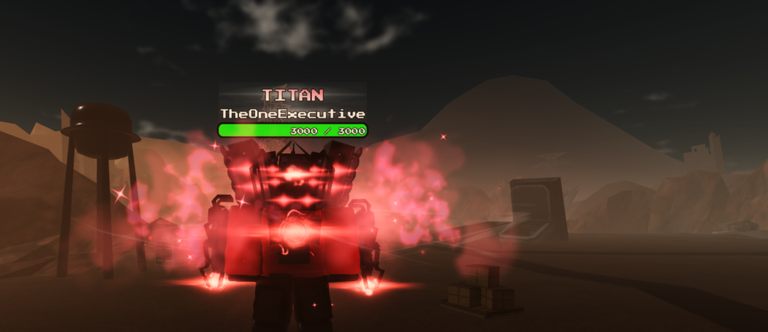
Promo codes only help if you redeem them in the correct Roblox place with the exact spelling. This tool page gives Toilet ultra boss rush players an interactive checklist you can tap while the game is open on a second monitor or phone. Use it together with the live list on the Codes Hub and the step-by-step article How to Redeem.
How to use this checklist tool
- Open the Codes Hub and copy one working code at a time.
- Launch Toilet ultra boss rush from the official Roblox listing (wave defense / base defense by TheOneExecutive Studios).
- Work through the interactive boxes below — mark a step done only when you have actually completed it.
- When a code fails, reset the relevant mental steps: confirm you are not in a lookalike experience, remove spaces, and re-read how to redeem.
- After rewards appear, leave the final boxes checked so you remember to verify inventory and Discord for new drops before you close the client.
Your browser stores checkbox progress locally for this tool id, so a refresh mid-session should not wipe the ticks. Use Reset checklist when you start a fresh redeem session on another day.
Code redeem checklist
Why a checklist beats speed-pasting
Toilet-theme Roblox games share confusing names. Players regularly paste Ultra Toilet Fight or Toilet Ultra 4 codes into the wrong redeem box, then blame the wiki. A deliberate checklist forces the “am I in Toilet ultra boss rush?” pause that saves ten minutes of frustration. It also slows you down enough to notice case sensitivity and trailing spaces.
During the Rework era, cash compensation and admin abuses get more attention than typed codes. That does not make codes worthless — it makes clean redeem habits more important whenever a real string appears. Pair this tool with Admin Abuse Events so you know which freebies need a live lobby versus a redeem UI.
Step deep-dive
Open the correct experience
Use your bookmark to the official place rather than a sponsored lookalike. Confirm the title references Toilet ultra boss rush and that you recognize the wave-defense loop after spawn. If the game is PvP-only or talks about titan limits from another title, leave.
Join a live server
Some redeem UIs only appear after you fully load into a server. Private empty servers usually still work, but if the UI is missing, hop to a fresh public server and try again.
Find the redeem UI
Layouts move after reworks. Check sidebar buttons, shop tabs, and settings-adjacent panels. When the wiki’s how to redeem page is updated with screenshots, follow that path first.
Paste exactly
No extra spaces, no translating letters into similar glyphs, no “fixing” a code you saw in a different game’s TikTok. If a creator video shows new characters, that is not automatically a code — see the Updates Hub for patch context instead of inventing strings.
Confirm rewards
Watch cash counters, inventory, and any gift popups. If nothing happens, note the exact error text before asking Discord. Provide the code, the time, and proof you are in the right place.
Recheck Discord
The Roblox description points players to the community server for sneaks and giveaways. Sometimes a code is announced there hours before fan sites notice. Recheck, then return to Codes to see whether the wiki has verified it.
Common failure modes
- Expired code — remove it from your personal list; the hub should mark it inactive once confirmed.
- Already redeemed — many codes are one-time per account.
- Wrong experience — restart from step one of the checklist.
- Offline typos while copying from images — prefer text copy from Codes.
- Expecting another game’s reward table — ignore foreign lists entirely.
After redeeming: spend smart
Codes are fuel, not a build guide. Before dumping new cash into random upgrades:
- Skim the Tier List Hub for units worth funding.
- Run the wave prep checklist so your next lobby uses the gift instead of wasting it on a chaotic wipe.
- Read Getting Started if you are brand new and do not yet know what the base needs.
- Keep a reserve in case an admin abuse night also drops cash and you want flexible spending.
Account safety while redeeming
Never enter codes on third-party websites that ask you to log in with Roblox credentials. Redeem only inside the Roblox experience or official flows described on how to redeem. Decline browser extensions that claim to auto-grab every toilet-game code across the platform — they are high risk and often outdated.
If you experiment with scripts, keep that world separate from redeeming. The Scripts Hub exists for cautious discussion; it is not required for codes and should never request your cookie.
Suggested redeem routine after updates
- Read the Updates Hub for whether a patch even mentioned gifts.
- Open Codes for verified strings only.
- Work this checklist top to bottom.
- Confirm rewards.
- Plan spending with Tier List + wave prep.
- Optionally skim the honest review if you are deciding whether the grind is still worth your time.
Stay patient, stay in the correct place, and let the checklist keep your redeem sessions boring — boring means successful.
When you finish, reset the tool or leave it checked as a reminder that today’s codes are done, then get back to defending the base.
Frequently Asked Questions
Quick answers for Toilet ultra boss rush players.
Does this checklist redeem codes automatically?
No. It is an interactive reminder UI that stores checkmarks in your browser. You still paste codes inside Toilet ultra boss rush yourself.
Where do I find the actual code strings?
On the Codes Hub. This tool only guides the redeem process; it does not invent or host unverified codes.
Why link to How to Redeem as well?
The checklist is for speed during a live session. How to Redeem is the fuller prose guide with troubleshooting when the UI moves after a rework.
What if my progress ticks disappear?
Local storage can clear if you use private browsing, another device, or wipe site data. Just run the checklist again — the steps are short.