Toilet ultra boss rush Wave Prep Checklist Tool
Ready your squad before the next defense push — tick every prep box.
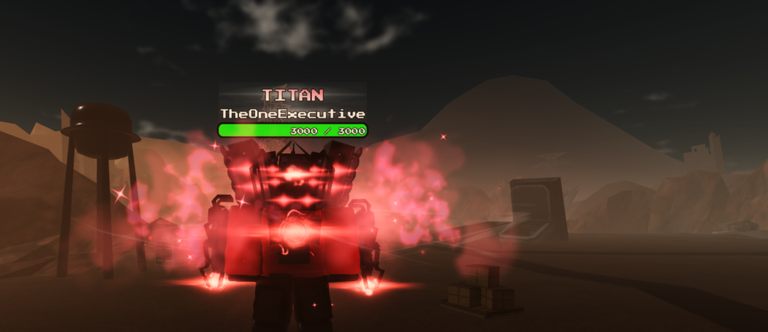
Toilet ultra boss rush punishes lobbies that jump into hard waves with empty pockets, unclear lanes, and no boss plan. This interactive checklist turns pre-match discipline into a tap-through routine you can run in under two minutes. Use it after redeeming gifts with the code checklist, and before you commit to a long session described in How to Play.
How to use this wave prep tool
- Party up or decide you are solo-queuing.
- Open the checklist below on a phone or second screen.
- Mark each item only when it is truly done — not “we will figure it out in wave three.”
- If a box stays unchecked, fix that gap before you start a serious push.
- Hit Reset checklist between sessions so tomorrow’s lobby does not inherit today’s false confidence.
Progress is stored locally in your browser for this tool id, similar to the code redeem tool.
Wave defense prep checklist
Why prep matters more after the Rework
The live title advertises a Rework, and the developer notes occasional admin abuses to compensate cash. That combination tempts players to yolo spend, hoping a live event will refill the tank. Prep flips the script: you keep a reserve, you assign lanes, and you treat freebies as upside. Read Rework Notes if you are returning after the reupload and feel the economy hit differently.
Checklist item deep-dive
Confirm place and party
Verify everyone loaded Toilet ultra boss rush — not a sibling toilet-theme experience. Share the official Roblox link if someone is in the wrong queue. Decide party size and whether you need a full squad to hold the base.
Set loadout from the tier list
Open the Tier List Hub and pick roles intentionally: early farm, lane hold, and boss burst. Cross-check character niches on Players. Creator Update hype on the Updates Hub is a clue, not an automatic loadout order.
Bank a cash reserve
Agree on a minimum stash before luxury upgrades. Reserves let you recover after a failed wave and keep options open if an admin abuse night drops extra currency.
Assign base and lane positions
Wave defense fails when four players sightseeing the same corridor. Call who watches the objective, who rotates, and who is allowed to overextend for cash. Even duo queues benefit from “you hold, I farm” clarity.
Agree on communication
You do not need a professional shotcaller. You need short calls: “base low,” “left breaking,” “save cash,” “boss now.” If voice is unavailable, decide on chat macros before the match gets loud.
Plan the boss or spike phase
Late spikes and boss-style waves separate prepared lobbies from optimistic ones. Decide which upgrade or unit comes online for that moment, and who is allowed to spend when the warning appears.
Recheck codes and Discord
Sixty seconds on Codes plus a Discord peek can add free power before a long grind. Use how to redeem or the code checklist if anyone still needs gifts.
Solo vs squad usage
Solo: Still assign yourself mental roles — early farm until X cash, then rotate to base. The checklist keeps you honest when nobody else is watching.
Squad: Nominate one person to read the checklist aloud. It feels silly once and then saves three wipe arguments.
Mixed skill lobbies: Give newer players base-adjacent jobs and let veterans take greedy farm paths. Point beginners at Guides between matches instead of flaming them mid-wave.
Linking prep to other wiki pages
- Economy gifts → Codes
- Redeem friction → How to Redeem + code checklist
- Unit quality → Tier List + Players
- Patch context → Updates / Rework Notes
- “Is this game for me?” → Review
- Risky third-party tools → cautious Scripts notes only
Soft failure review
When a run dies, do not only blame RNG. Re-open this checklist and ask which box was fake-checked. Most wipes trace to no reserve, no lane assignment, or no boss spend plan. Capture one lesson, reset the tool, and queue again.
If the experience title suddenly shows a new multiplier or the studio announces characters, skim the Updates Hub before your next prep cycle so the loadout box reflects reality.
Accessibility and device tips
Mobile players can keep this page in a browser tab beside Roblox. Desktop players can pop it on a vertical monitor. Because ticks persist locally, you can pause after “cash reserve” while someone redeems, then continue.
Avoid sharing screenshots that include private Discord invite internals if your community rules frown on that — link friends to this public tool page instead.
A realistic ten-minute pre-match flow
Minutes 0–2: everyone loads the correct place and finishes codes.
Minutes 2–5: loadouts chosen from tier list.
Minutes 5–7: positions and calls agreed.
Minutes 7–9: cash reserve number locked.
Minute 10: boss plan spoken once, checklist completed, queue start.
That rhythm beats diving in blind and tilting when the base cracks at the first spike.
Defend first, optimize second, and let this checklist be the boring ritual that makes highlight waves possible.
Frequently Asked Questions
Quick answers for Toilet ultra boss rush players.
Is the wave prep checklist only for stacked squads?
No. Solo players can still set loadout, cash reserve, and a personal boss plan. Squads simply add lane assignments and callouts.
Should I prep before redeeming codes?
Redeem first if gifts change your loadout budget, then run this checklist so spending decisions include the new cash or units.
How often should I reset the checklist?
Reset between distinct sessions or after a major update changes units, multipliers, or map flow.
Does this replace the tier list?
No. The tier list tells you what to bring; this checklist makes sure your lobby actually equips, positions, and budgets before waves start.